Views: 0 Author: Site Editor Publish Time: 2026-08-21 Origin: Site
High-foot-traffic marketing environments demand dynamic digital signage. Traditional print displays lack the motion required to capture attention. Standard commercial LCDs suffer from low brightness, distracting bezels, and cumbersome mounting requirements. Marketing and AV procurement teams constantly struggle to find a scalable display solution that bridges the gap between massive, permanent LED video walls and low-impact static signage. Teams often compromise on deployment speed, visual fidelity, or portability.
The PS Series Poster LED Screen serves as a targeted solution for these exact environments. It eliminates the friction of traditional AV installations while delivering the visual punch of a premium direct-view LED display. We will examine how this specific form factor addresses the logistical and visual challenges of modern retail, trade show, and corporate environments through a rigorous evaluation of its technical specifications and deployment realities.
Purpose-Built Modularity: The PS Series Poster LED Screen allows for standalone operation or seamless multi-screen splicing, offering flexibility across varying campaign footprints.
Viewing Distance Dictates Configuration: Selecting the correct pixel pitch (e.g., P1.8 to P3.0) is the most critical factor in balancing upfront cost with visual clarity for close-proximity marketing.
Rapid Deployment & Portability: Out-of-the-box setup takes mere minutes, and integrated mobility features (flight cases, wheels) drastically reduce event installation costs.
Centralized Content Control: True ROI is achieved through asynchronous control systems and cloud-based CMS integrations, enabling remote, multi-location campaign management.
Table of Contents
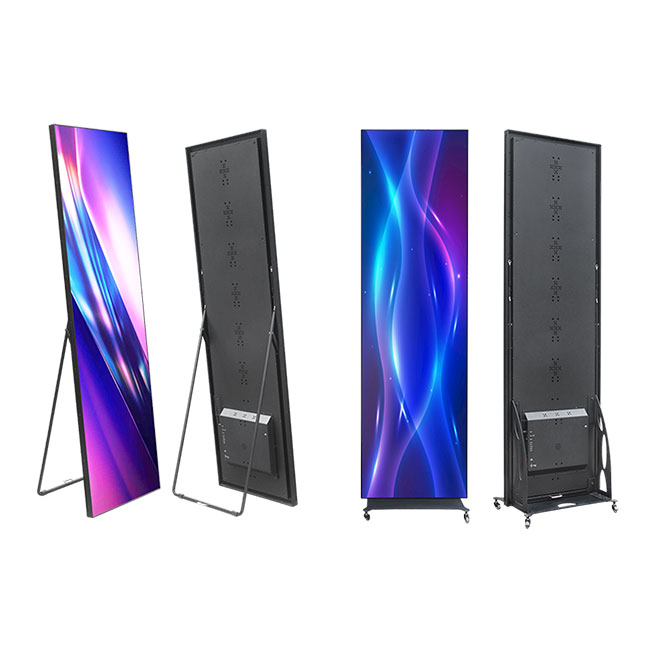
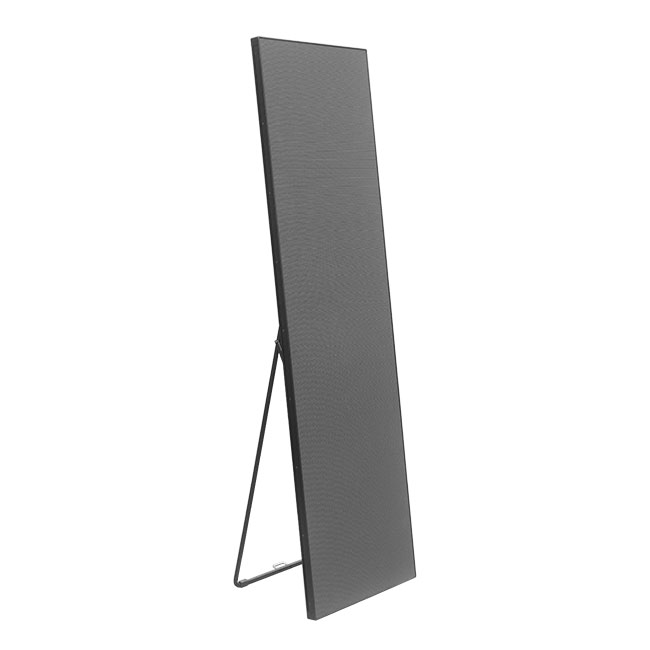
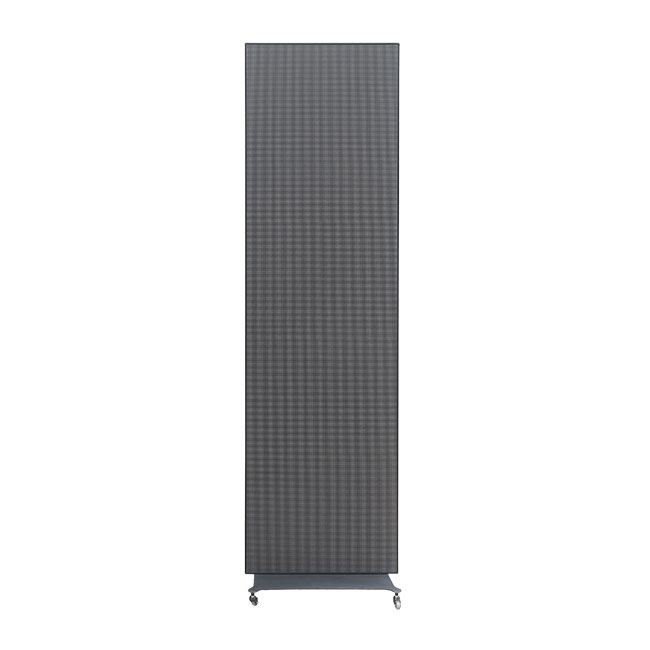
The physical design of a digital display dictates its utility in fast-paced marketing environments. Traditional LED panels require heavy rigging, custom frames, and specialized labor. The PS Series Poster LED Screen abandons this heavy-duty paradigm in favor of an all-in-one, ultra-thin chassis. Standard dimensions typically hover around 1900mm in height and 600mm in width, mimicking the familiar aspect ratio of a traditional printed banner stand. The cabinet utilizes lightweight extruded aluminum, which provides high structural rigidity while keeping the total weight manageable for a single technician to handle.
Portability represents a primary engineering focus for this hardware. Marketing teams require displays that can move seamlessly from a retail storefront to a weekend pop-up activation. To facilitate this, the chassis integrates hidden caster wheels and a foldable rear bracket. Technicians can roll the unit across a convention center floor, deploy the kickstand, and lock the wheels in seconds. For long-distance transport, custom-molded flight cases protect the sensitive SMD diodes from impact and vibration. These flight cases feature shock-absorbing high-density foam and heavy-duty butterfly latches, ensuring the hardware survives the rigors of freight shipping.
This specific architectural approach makes the display highly effective across several primary marketing applications. Retail storefronts utilize them to drive foot traffic with high-contrast video content. Automotive showrooms place them next to flagship vehicles to display dynamic specification sheets and lifestyle footage. Trade show exhibitors deploy them at booth perimeters to attract attendees without blocking sightlines. Hospitality venues use them for directional wayfinding and event scheduling in lobbies and conference centers.
For procurement teams evaluating this technology, success criteria must be strictly defined. A successful deployment requires a maximum setup time of under 15 minutes per unit. The hardware must support zero-configuration networking, allowing media players to connect automatically upon power-up. Furthermore, the display must meet minimum brightness thresholds to ensure visibility under the specific ambient lighting conditions of the deployment site. Moving these units across a trade show floor often bypasses heavy union labor requirements because the unit rolls on its own casters and sets up without specialized rigging tools.
Upgrading to direct-view LED requires a clear understanding of how technical specifications translate into marketing performance. Static print signage fails to engage modern consumers accustomed to motion graphics. Commercial LCDs, while capable of video playback, suffer from thick bezels that ruin multi-screen arrays. LCDs also struggle with glare from overhead lighting and rarely produce enough brightness to compete with direct sunlight. Direct-view LED technology eliminates the glass overlay, removing glare entirely while delivering significantly higher brightness and contrast.
Pixel pitch remains the most critical specification to evaluate. Pixel pitch measures the distance in millimeters between the center of one LED diode and the center of the adjacent diode. A smaller number indicates higher pixel density and higher resolution. However, specifying the tightest pixel pitch available often misallocates marketing resources. You must match the pixel pitch to the average viewing distance of your audience.
Pixel Pitch | Optimal Viewing Distance | Primary Marketing Application | Visual Characteristic |
|---|---|---|---|
P1.8 | 1.8 meters (6 feet) and beyond | High-end retail point-of-sale, VIP lounges | Ultra-crisp text, flawless close-up video |
P2.0 | 2.0 meters (6.5 feet) and beyond | Trade show booths, corporate lobbies | Excellent balance of resolution and hardware efficiency |
P2.5 | 2.5 meters (8 feet) and beyond | Mall walkways, automotive showrooms | Standard high-definition impact for medium distances |
P3.0 | 3.0 meters (10 feet) and beyond | Window displays, large event halls | Maximum brightness efficiency for distant viewing |
Brightness, measured in nits, dictates the display's ability to combat ambient light. Standard indoor environments like corporate lobbies require between 800 and 1000 nits. However, if you place the screen in a sunlit retail window, you need a semi-outdoor configuration capable of 2500 to 4000 nits. High-quality SMD (Surface-Mounted Device) LED technology maintains deep black levels even at high brightness, ensuring optimal contrast ratios. Many advanced units feature auto-dimming sensors that adjust output based on the time of day, preventing the screen from blinding consumers during evening hours.
Refresh rate is an often-overlooked specification that severely impacts marketing campaigns. When attendees at a trade show or fashion event record your display on their smartphones, a low refresh rate causes visible scan lines and severe moiré effects in their footage. The moiré effect occurs when a camera sensor grid aligns poorly with the LED pixel grid, creating terrible interference patterns. To ensure your marketing assets look flawless on social media, the display must feature a refresh rate of at least 3840Hz. This high refresh rate guarantees camera-readiness, allowing influencers and customers to capture and share your content without visual artifacts.
Before finalizing hardware specifications, AV teams should execute a standardized site survey process:
Measure the maximum ambient light hitting the display area at peak sun hours using a calibrated lux meter.
Calculate the minimum viewing distance from the screen surface to the primary pedestrian walkway.
Determine the primary content type (text-heavy information vs. ambient motion graphics) to finalize pixel density requirements.
Verify the available power circuits at the deployment location to prevent breaker trips during maximum brightness output.
The true architectural advantage of the PS Series Poster LED Screen lies in its modularity. Marketing campaigns rarely utilize a single, static footprint. A brand might need a single standalone display for a small pop-up shop one week, and a massive 16-foot video wall for a national trade show the next. This hardware supports both scenarios through seamless cascading configurations.
Because the LED modules extend to the absolute edge of the aluminum chassis, there are no bezels. When you place multiple units side-by-side, they form a continuous, unbroken digital canvas. This splicing process relies on precise mechanical alignment pins and magnetic connectors that lock the cabinets together perfectly. Data and video signals pass from the primary unit to the secondary units via HDMI loop-out technology. The internal receiving cards automatically synchronize the playback, ensuring that fast-moving video content spans across six or more screens without a single frame of latency or tearing.
Installation Method | Hardware Requirement | Ideal Use Case |
|---|---|---|
Freestanding | Integrated base and kickstand | Trade shows, temporary pop-up shops, lobby wayfinding |
Wall-Mounted | VESA-style wall brackets | Permanent retail installations, corporate boardrooms |
Flown / Rigged | Overhead truss clamps and hanging bars | Concert stages, large exhibition halls, high-impact event spaces |
The setup workflow is highly streamlined. A technician unlatches the flight case and rolls the unit out using the integrated wheels. They deploy the rear kickstand to stabilize the chassis. Next, they plug a standard 110V or 220V IEC power cable into a floor drop. Upon receiving power, the internal media player boots up in seconds and immediately begins looping the pre-loaded content. There is no need for external video processors, complex cable runs, or dedicated AV racks. This plug-and-play reality drastically reduces labor hours at convention centers and allows retail staff to manage daily operations without technical support.
Hardware specifications only matter if the content management workflow is efficient. Managing digital assets across a fleet of displays requires a robust control system architecture. Displays typically operate using either synchronous or asynchronous control methods. Synchronous control requires a dedicated PC continuously feeding a live video signal to the screen via HDMI. While useful for live events or interactive presentations, it is highly impractical for permanent retail marketing.
Asynchronous control provides the necessary flexibility for enterprise marketing. The display features a built-in media player with internal solid-state storage. You upload the content to the screen once, and it plays continuously without requiring an external computer. This architecture eliminates the risk of a Windows update or a crashed laptop interrupting your marketing campaign.
Network connectivity enables remote management and global scalability. Modern displays integrate Wi-Fi, LAN, and optional 4G/5G cellular modules. Marketing teams connect the screens to a cloud-based Digital Signage Content Management System (CMS). Through a secure web portal, a single marketing manager in New York can instantly update the video content on fifty screens located in retail stores across Europe and Asia. The CMS allows for complex scheduling, enabling day-parting campaigns. A restaurant can automatically switch from breakfast promotions to a lunch menu at exactly 11:00 AM, while a retail store can trigger high-energy lifestyle videos during peak weekend shopping hours.
Content formatting presents a unique workflow challenge. Standard marketing assets are typically produced in a 16:9 landscape aspect ratio for television and web. Poster displays utilize a tall, narrow aspect ratio. Creative teams must adapt their workflows to maximize this vertical real estate. Instead of simply cropping a landscape video, designers should build custom vertical assets. When splicing multiple screens together, the CMS automatically maps the content across the combined pixel space. If you link three 600mm wide screens, the internal receiving cards treat the array as a single 1800mm wide canvas, allowing a standard 16:9 video to play perfectly across the linked vertical screens.
Evaluating the long-term viability of digital signage requires analyzing operational efficiency and hardware longevity. Direct-view LED technology offers a significantly longer operational lifespan compared to commercial LCDs or projection systems. The SMD LED diodes utilized in these displays carry a rated lifespan of approximately 100,000 hours. Even in a demanding 24/7 retail environment, this translates to over a decade of continuous operation before the diodes degrade to half their original brightness.
Energy consumption directly impacts operational efficiency. Buyers must distinguish between maximum power consumption and average power consumption. Maximum power consumption occurs only when the screen displays a pure white image at 100% brightness. In real-world marketing applications, displaying typical video content with varied colors and black levels, the average power consumption drops to roughly one-third of the maximum rating. High-efficiency power supplies and advanced diode designs keep thermal output low, reducing the electrical load and minimizing the impact on the venue's utility infrastructure.
Maintenance and serviceability dictate the long-term reliability of the deployment. Traditional LED walls require rear access, meaning technicians must crawl behind the screen to replace a failing component. Modern poster displays feature full front-serviceability. The individual LED modules attach to the aluminum chassis using high-strength magnets. If a module suffers physical damage, a retail employee can use a magnetic vacuum tool to pull the module straight off the front of the screen and snap a replacement into place in under thirty seconds. Keeping a small inventory of spare LED modules, receiving cards, and power supplies ensures maximum uptime for critical marketing campaigns.
Deploying high-value digital assets in public spaces introduces specific physical and technical risks. Exposed SMD LEDs are inherently fragile. In high-traffic retail environments or crowded trade show aisles, shopping carts, luggage, or careless foot traffic can easily dislodge individual pixels, leading to dead spots on the screen.
To mitigate physical vulnerability, procurement teams should evaluate protective coatings. GOB (Glue on Board) technology encapsulates the LED diodes in a transparent, impact-resistant epoxy resin. This coating protects the pixels from physical strikes, moisture, and dust without compromising brightness or viewing angles. Alternatively, deploying clear acrylic covers or utilizing strategic placement—such as elevating the screens on custom pedestals—keeps the hardware out of direct contact with the public.
Thermal management presents another constraint, particularly in enclosed environments. Placing a high-brightness display directly behind a sunlit glass window creates a greenhouse effect. If the internal components overheat, the display will suffer from color degradation, shortened diode lifespan, or catastrophic power supply failure. To mitigate thermal risks, evaluate the passive cooling design of the aluminum chassis. Ensure the deployment location has adequate HVAC airflow, and utilize the display's auto-dimming features to reduce heat generation during peak sunlight hours.
Network security and compliance require strict oversight. An unsecured digital display presents a vulnerability for enterprise IT networks. Unauthorized users could access the display's Wi-Fi hotspot and cast inappropriate content to the screen. Mitigation requires strict adherence to enterprise IT protocols. Disable open Wi-Fi hotspots, connect the displays via hardwired LAN on an isolated VLAN, and ensure the cloud CMS utilizes end-to-end encryption for all content delivery and firmware updates.
Audit your deployment environment by measuring peak ambient light levels and calculating the exact minimum viewing distance of your target audience.
Request a live technical demonstration of the cloud-based CMS interface to verify it meets your remote management and scheduling requirements.
Calculate the exact power and data requirements for your intended multi-screen cascading configurations before finalizing the procurement order.
Specify GOB protective coatings if deploying the hardware in high-traffic areas prone to physical impact.
As a pioneer in advanced visual technology, Shenzhen Lightingart LED Display Co., Ltd. combines cutting-edge R&D with precision manufacturing to deliver innovative, custom-tailored LED display solutions that help global brands capture attention and maximize ROI.
A: Out-of-the-box setup takes less than five minutes per unit. The process involves unlatching the protective flight case, rolling the display out on its integrated caster wheels, deploying the rear stabilizing kickstand, and plugging in a standard power cable. The internal media player boots automatically and begins looping pre-loaded content immediately.
A: The displays are transported in custom-molded, ruggedized flight cases. These cases feature shock-absorbing internal foam, heavy-duty butterfly latches, and reinforced corners to protect the hardware during freight shipping. The display itself features integrated caster wheels, allowing a single person to roll it across event floors.
A: Yes. Multiple units can be placed side-by-side to create a seamless, bezel-free video wall. They connect via an HDMI loop-out cable. The internal receiving cards automatically synchronize the data, allowing a single piece of high-resolution video content to stretch flawlessly across all connected screens without latency.
A: Standard models are designed for indoor use. However, high-brightness variants are engineered for semi-outdoor applications, such as sunlit retail window displays. For fully exposed outdoor environments with direct rain, you must procure a specifically rated outdoor model with an IP65 weatherproofing certification.
A: The integrated asynchronous media player supports all standard digital marketing formats. This includes MP4, AVI, MOV, and WMV for video playback, as well as JPG, PNG, and BMP for static images. The system easily handles 1080p and 4K source files, scaling them automatically to fit the screen's specific resolution.
A: To protect the fragile SMD diodes from shopping carts and foot traffic, you can specify screens with GOB (Glue on Board) technology, which coats the pixels in an impact-resistant resin. Alternatively, you can install clear acrylic protective covers or elevate the screens on platforms to keep them out of reach.